
Short answer: A force/torque sensor measures pushes, pulls and twists so a robot can feel contact instead of blindly following positions. The standard device is a six-axis sensor at the wrist, reporting three forces and three moments; the alternative is torque sensing inside each joint. With force data, the controller can search for a hole, hold a constant polishing pressure, or let an operator drag the arm into place by hand. Without it, the robot's only response to unexpected resistance is an alarm.
How six-axis sensing works
Inside the sensor, a stiff metal flexure deforms by microscopic amounts under load, and strain gauges bonded to it convert that deformation into signals. The electronics resolve the combined readings into the six components: force along X, Y and Z, and torque about each axis. Two characteristics of this arrangement shape everything downstream. The sensor is deliberately a little compliant — measurement requires deformation — and it is fragile in one specific way: it is rated for a working range and a higher overload limit, and repeated events past that limit are what kill these devices in the field.
Wrist-mounted or joint-integrated?
A wrist sensor sits between the flange and the tool and measures everything the tool experiences, on one device, on any robot. It is the retrofit-friendly option and the standard choice for assembly, finishing and test applications. Joint torque sensors are built into each axis — the architecture behind most collaborative robots — and give whole-arm awareness: contact anywhere along the arm, gravity and payload estimation, and hand-guiding along the full reach. They cannot be retrofitted, and per-axis data answers different questions than a single wrist measurement. The choice is architectural: buy the robot with sensing in its joints, or add sensing at the wrist of a conventional robot. The directory's core components section is the place to survey suppliers of both, alongside specialists such as ATI Industrial Automation, whose profile centres on multi-axis force/torque sensing and tool changing.
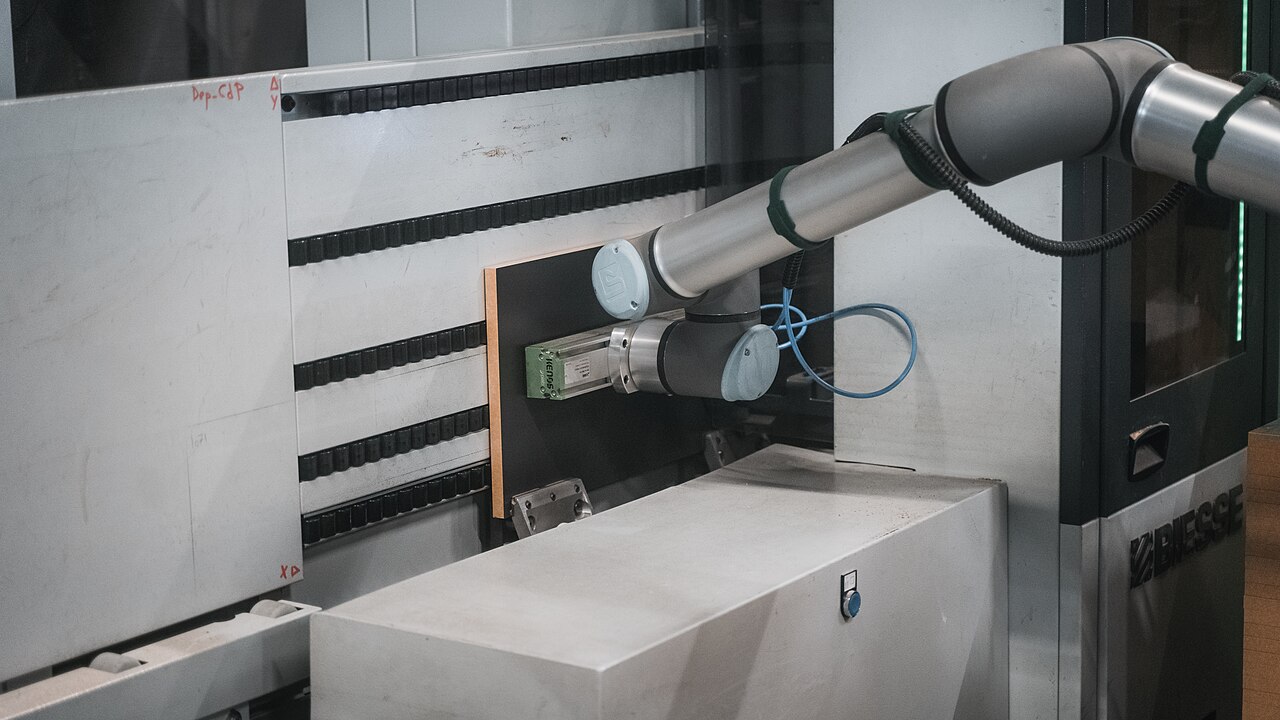
Where force sensing earns its place
- Insertion assembly: pegs, connectors and bearings that jam under pure position control slide home when the robot can search, tilt and comply under force feedback.
- Surface finishing: grinding, sanding, deburring and polishing need constant contact pressure across surfaces that are never exactly where the model says — the textbook force-control task.
- Hand guiding: drag the arm to teach points or to assist an operator, the interaction mode that made collaborative robots feel different from their ancestors.
- Test and measurement: pressing buttons, actuating switches and verifying assembly forces turn the robot into an instrument.
Force sensing is also the base layer of safety-rated contact detection on collaborative applications — though certification lives in the whole system, not in the sensor alone.
One underrated return on the investment is documentation. A force-controlled process leaves a trace: the force curve of every insertion, press and polish cycle, recorded as it happened. Quality teams use those traces the way they use torque records in screwdriving — as per-unit evidence that the process stayed inside its window, and as the first place to look when a field failure needs explaining. A position-only cell can show where the robot went; a force-sensing cell can also show what the robot felt while it was there.
Selection checks that matter
- Range versus resolution: a sensor sized for heavy loads resolves small forces poorly. Size to the working forces, then check the overload rating against your worst credible crash.
- Overload behaviour: ask what happens past the limit — graceful saturation or permanent zero shift — and how often the device tolerates it.
- Crosstalk: how much a pure force leaks into the torque channels and vice versa; it decides how clean your force control feels.
- Drift and temperature: strain gauges wander; check the compensation story for your environment.
- The stack it lives in: on multi-tool wrists the sensor typically mounts directly above or below the tool changer — specify the assembly together, including cable routing through the rotation of the last axis.
Force and vision divide the work
Vision finds things; force finishes the contact. A camera can locate a connector housing to a fraction of a millimetre and the insertion can still jam on the last millimetre of misalignment that no camera can see. Fingertip-scale contact is a third layer again — our guide to tactile sensing in robot hands covers the sensors that live in the fingers themselves. And in the hand as a whole, wrist and joint sensing is what lets designs like those in our dexterous hands survey behave gently. Survey the category in the core components section of the directory.
Frequently asked questions
What does 'six-axis' mean in a force/torque sensor?
The sensor resolves load into six components: forces along the three linear axes (X, Y, Z) and torques about those same three axes. That full picture lets the controller distinguish, for example, a downward press from a sideways jam.
Should I choose a wrist sensor or joint torque sensors?
Joint torque sensors come built into the robot — typically collaborative models — and sense contact along the whole arm. A wrist sensor can be added to almost any robot and measures precisely what the tool feels. Retrofits and finishing or assembly tasks usually mean wrist sensing; whole-arm compliance means joint sensing.
Can a force/torque sensor be retrofitted to an existing robot?
Usually yes at the wrist: the sensor bolts between the flange and the tool, and the controller needs an interface to consume the data at control-loop speed. The engineering checks are payload (the sensor and its cabling count), cable routing, and whether your controller supports external force control.
What damages force/torque sensors in practice?
Overload events — crashes and hard stops beyond the rated limit — are the main killer, sometimes shifting the zero point permanently. Correct sizing, honest overload ratings and mechanical overload protection where available are the defences.