
Short answer: The robot controller is the computer and power electronics that turn programs into coordinated joint motion, enforce safety limits, and talk to the rest of the factory. The teach pendant is its human interface. Together they decide how quickly a robot is programmed, how painless a changeover is, and how your team feels about the machine in year three — which is why experienced buyers evaluate the controller with the same care as the arm, and why our safety standards guide treats it as part of the safety system, not an accessory.
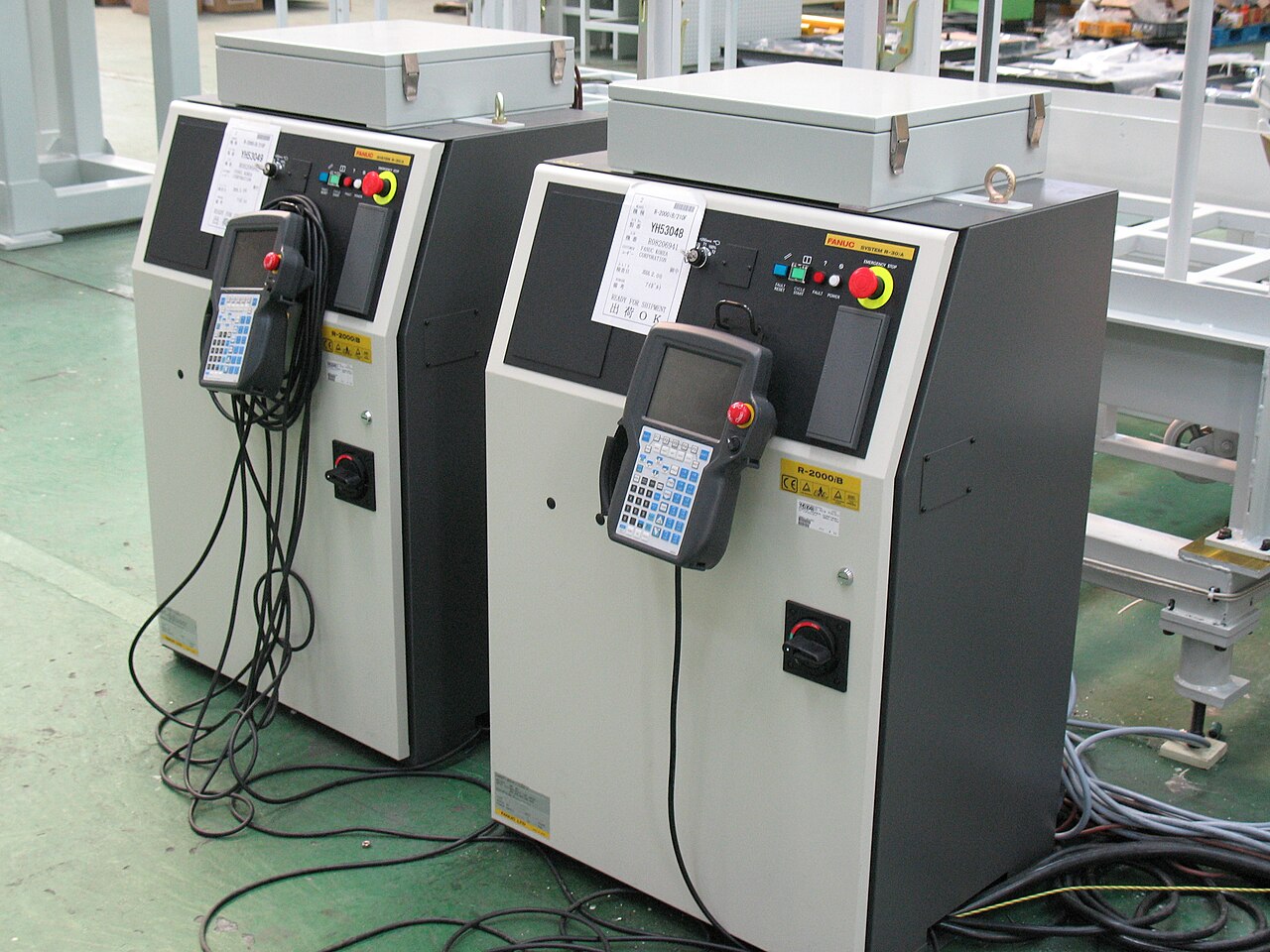
What lives in the cabinet
The control cabinet holds servo amplifiers that drive each joint motor, the processor running motion planning and the robot program, safety-rated circuits that monitor speed, position and the enabling devices, and the I/O that connects grippers, sensors and interlocks. Nothing in the arm decides anything; the arm is motors, gears and feedback. This division has a practical consequence for the components market: controllers are rarely interchangeable between brands, so the cabinet you buy commits you to a software ecosystem as much as to a machine.
Three ways a robot gets programmed
Teach pendant programming — jogging the arm to points and recording them, with logic built in the vendor's language — remains the floor standard: always available, slow for complex paths, and the skill your operators actually have. Offline programming builds and simulates programs on a PC from CAD data, essential where changeovers are frequent or paths are generated from geometry (welding, painting, machining); the software layer it belongs to is discussed in our guide to robot software stacks. Lead-through teaching — physically guiding the arm, standard on collaborative robots — collapses simple programming to minutes and is the usability benchmark the pendant world is measured against. Ask which of the three a quotation actually includes; the licences are not always in the base price.
Safety and I/O: the unglamorous deciding layer
Modern controllers carry the cell's safety functions: monitored stop, speed and position limits, safe zones, and the interfaces to scanners, light curtains and gates. How many safety inputs, fieldbus safety protocols and I/O points are included as standard — versus activated by paid option — moves real money and integration time. The same applies to ordinary connectivity: which fieldbus and Ethernet protocols are native, how the controller exposes data to MES and monitoring, and whether that data interface is documented and priced openly. A controller that makes production data easy to extract pays for itself in every later improvement project; one that walls it off taxes each of them.
The hidden cost of switching brands
Plants standardise on one controller family for reasons that compound: operator training, programmer skills, spare cabinets and I/O, program libraries, and the integrator relationships around them. A cheaper arm from a second brand imports a parallel ecosystem — new pendant habits, new programming language, new spares shelf. That does not make multi-brand plants wrong; it makes the comparison honest only when the ecosystem cost is priced in. The software suppliers in the directory's software section exist precisely in the gaps between these ecosystems — monitoring, offline programming and integration layers that soften the lock-in. For a first robot, choose the arm; for the second, you are really choosing whether to stay in the first one's world.
What to check before signing
Run the pendant yourself on a live machine: teach a point, edit it, recover from a fault, and time each. Confirm which options the quotation activates (offline programming, fieldbus licences, safety packages, data interfaces) and which it merely supports. Check the controller's stated support horizon and spare availability, because cabinets age out of vendor support before arms wear out. And ask how programs and parameters are backed up and restored — the day a controller is replaced under pressure is the day that answer becomes the most valuable sentence in the contract. Treat the backup question as a test of the whole relationship: a vendor whose restore procedure is documented, quick and rehearsed has usually thought equally carefully about everything else on this page.
Frequently asked questions
What is the difference between the robot and its controller?
The arm contains motors, gears and position feedback but makes no decisions. The controller — a separate cabinet with servo amplifiers, the motion processor and safety circuits — computes and coordinates every movement. Controllers are brand-specific, so the cabinet also commits you to that maker's software ecosystem.
What is a teach pendant used for?
It is the handheld interface for operating and programming the robot: jogging axes, recording points, editing programs, acknowledging faults and running the cell in manual mode. How fast those everyday tasks are is a major part of a robot's real usability.
Why do factories standardise on one robot brand?
Because the controller ecosystem is the expensive part to duplicate: operator and programmer training, spare cabinets, program libraries and integrator experience all accumulate around one family. A second brand may win on arm price and still cost more once the parallel ecosystem is priced in.
What controller options are often not in the base price?
Offline programming licences, additional fieldbus or data interfaces, extended safety packages and extra I/O are commonly activated options. The check is simple: ask which features the quotation switches on, not which the controller supports, and get the answer in the offer.