
Short answer: Motion planning is the software layer that computes how a robot moves from one pose to another — which joints move, in what order, along what path — while keeping the arm, its tool and its payload out of collision with the cell, the workpiece and itself. It runs invisibly inside every controller and fleet manager, and it is why two robots with identical mechanics can behave like entirely different machines: one flows, the other hesitates, detours and freezes.
The problem in one intuition
A six-axis arm does not move in the three-dimensional space you see; it moves in a six-dimensional configuration space, where every point is a complete pose of all six joints. A shelf that occupies a small volume in the room becomes a complicated obstacle in that space, and 'go around it' becomes a search problem with no simple geometry. This is why planning is computed rather than programmed: nobody can hand-teach a path for every situation a mobile robot or a re-grasping arm will meet, so the software must find safe paths itself, fast enough to feel instantaneous.
Two families of planners
Sampling-based planners explore the configuration space by trying random poses and connecting the safe ones into a graph, then searching the graph for a route — the approach behind the RRT and PRM algorithm families. They are good at finding some valid path in cluttered spaces, though the path may be jagged and needs smoothing. Optimisation-based planners start from a candidate path and repeatedly bend it — shortening it, smoothing it, pushing it away from obstacles — like straightening a rope while keeping it off the floor. They produce graceful motion but can get stuck in a bad initial guess. Production systems blend both, and increasingly add learned components that propose good starting paths from experience.
Dynamic obstacles and shared spaces
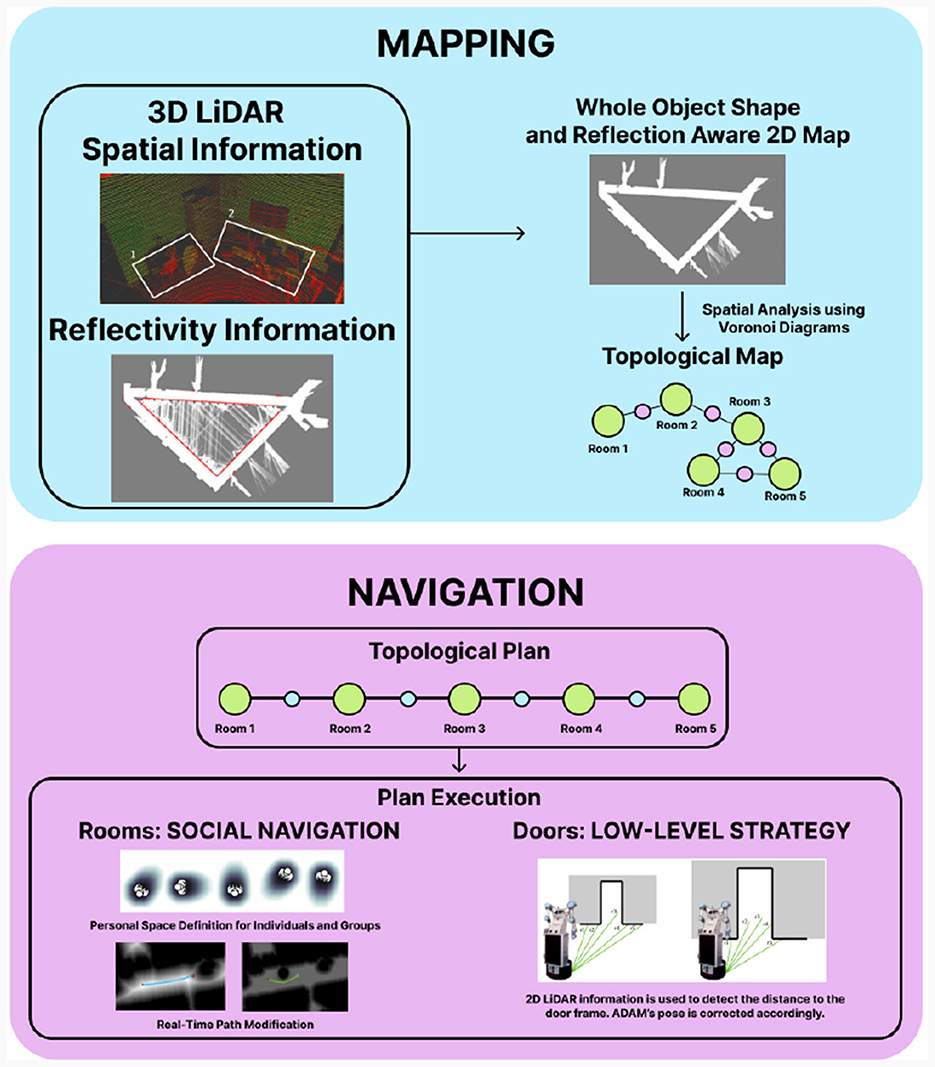
A warehouse or hospital corridor is not a static puzzle: people step out, forklifts cross, doors open. Planners in shared spaces therefore replan continuously, predicting where moving obstacles will be and trading off progress against clearance. This layer is what separates a mobile robot that threads a busy aisle from one that stops dead for every passer-by. It is distinct from the safety system: planning avoids collisions politely and efficiently, while safety-rated sensing and stops — covered in our guide to robot safety standards — are the independent layer that protects people when avoidance fails. A well-designed system needs both, and buyers should never let a vendor blur them into one claim.
What planner failure looks like on the floor
Planner weakness announces itself behaviourally. The robot takes absurd detours around trivial obstacles. It freezes — the classic failure of a planner that can find no path through a doorway the operator can see is clear — or oscillates between two routes. It hugs obstacles with centimetres to spare in one run and refuses the same gap in the next. In fenced cells the equivalent is an arm that pauses mid-cycle in poses no human would choose. None of these appear in a specification table; all of them appear in a week of production. This is also where cobots and traditional arms differ in feel: the cobot's planner is tuned for a world shared with people, and its caution is a planning decision, not a mechanical limit.
What to observe at acceptance
Because planning quality is behaviour, acceptance should test behaviour. Run the cluttered version of the scene, not the empty one: add the cart, the pallet, the badly parked forklift that reality will add anyway. Ask for repeated runs and watch consistency, not a single best performance. Create the recovery cases — a blocked route, a moved obstacle — and observe whether the robot replans, reroutes or waits intelligently, and how it asks for help when it cannot. Note who tunes the planner when behaviour is wrong: if the answer is a vendor engineer with a laptop, that dependency belongs in the support discussion. Watch timing as well as success: a robot that always finds a path but thinks for several seconds before each move has a planning latency problem that will tax every cycle it ever runs, and it is exactly the kind of fault a polished demonstration — one rehearsed route, run once — is designed to hide. The vendors building this layer are listed in the directory's software section.
Frequently asked questions
What is motion planning in robotics?
It is the software computation that turns 'move from here to there' into a specific, collision-free motion of every joint, accounting for the arm, its tool, the workpiece and the cell. It must run in configuration space, which is why it is computed rather than taught.
What is the difference between sampling-based and optimisation-based planners?
Sampling planners explore random safe poses and connect them into a searchable graph — good at finding some valid path in clutter. Optimisation planners start from a candidate path and bend it shorter, smoother and further from obstacles — graceful, but dependent on a decent starting path.
Is collision avoidance the same as robot safety?
No. Planning avoids collisions for efficiency and politeness. Safety is an independent, safety-rated layer — sensing, stops and speed limits — that protects people when avoidance fails. Both are needed, and a vendor should never blur them into one claim.
How can a buyer judge planner quality before purchase?
Watch behaviour in clutter, not specifications: repeated runs in the messy version of the scene, blocked-route recovery, and consistency between runs. Freezing, absurd detours and oscillation are planner weaknesses that no datasheet will mention.